
 AI Work Analytics
Chrome extension · By Angeles Tech
Track time spent
using AI tools.
See how long you work with AI and how many messages you send. Review your activity by project, day or week.
No account needed. Tracking data stays in your browser.
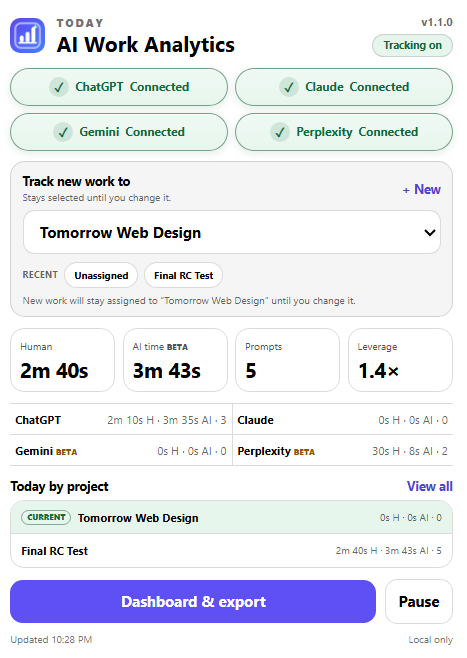
- ChatGPT
- Claude
- Gemini · Beta
- Perplexity · Beta
A clearer view of your activity
Know where your time goes.
Keep a simple record of how you use supported AI tools.
Track your day
See active work time, prompt counts and detected AI working time.
Choose a project
Assign new activity to a project. Change it whenever you switch tasks.
Review or export
Compare today with the last seven days. Export CSV or save a JSON backup.
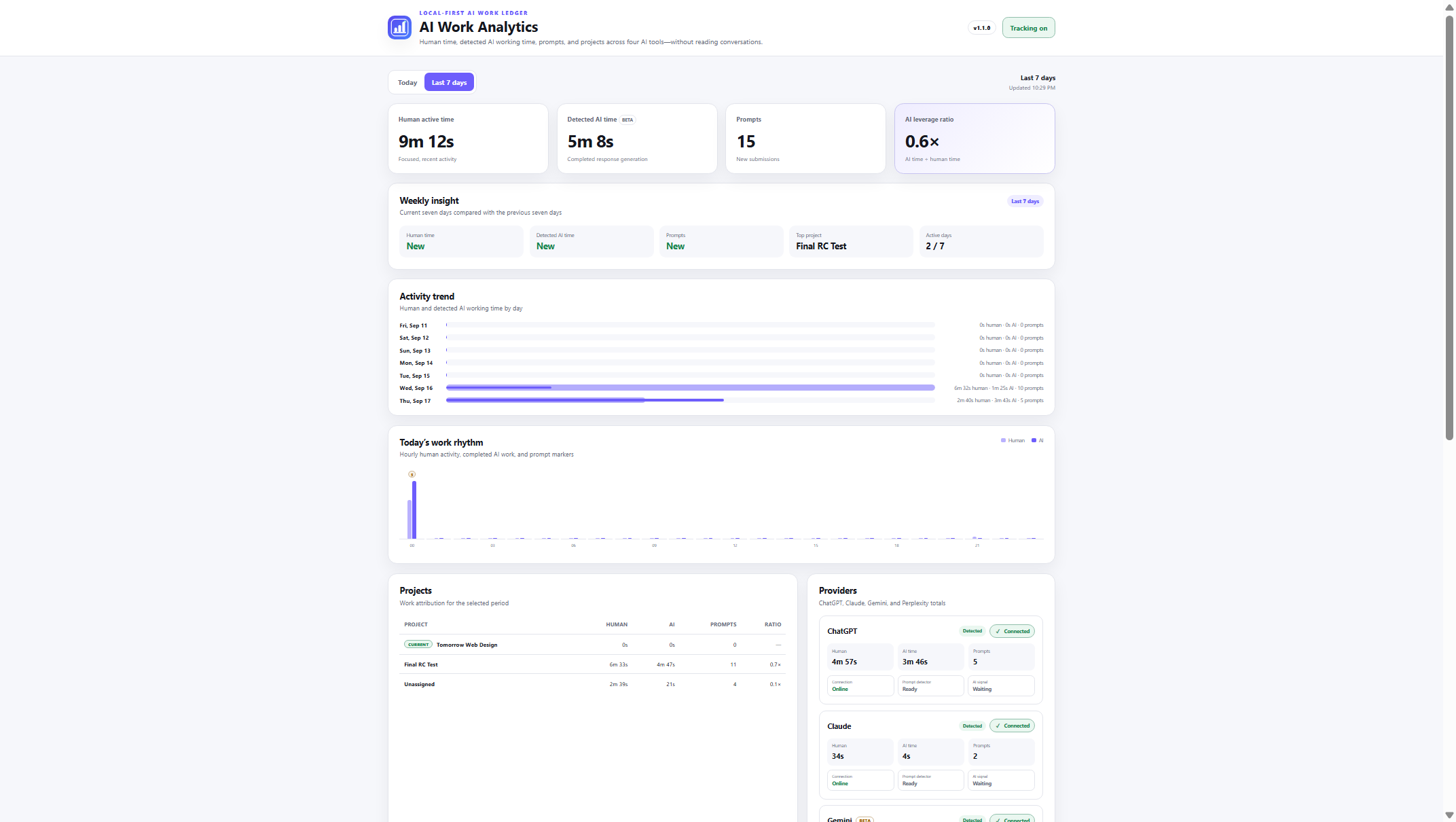
Today + last 7 days
Your week,
in one view.
Review activity trends, provider totals and time by project.
What does the AI time ratio mean?
It compares detected AI working time with your active work time. It measures time, not the quality of your work. Detected AI time is in Beta.
What if a tool is not tracking?
Check that tracking is on and review provider diagnostics in the dashboard. Gemini, Perplexity and detected AI working time are Beta features.
What changed in v1.1.0?
Clearer provider status and recent projects in the popup, plus weekly insights, activity trends and project totals in the dashboard.
Your activity. On your device.
Conversation text is not stored. Pause tracking when you need to, and keep control of your local records.