

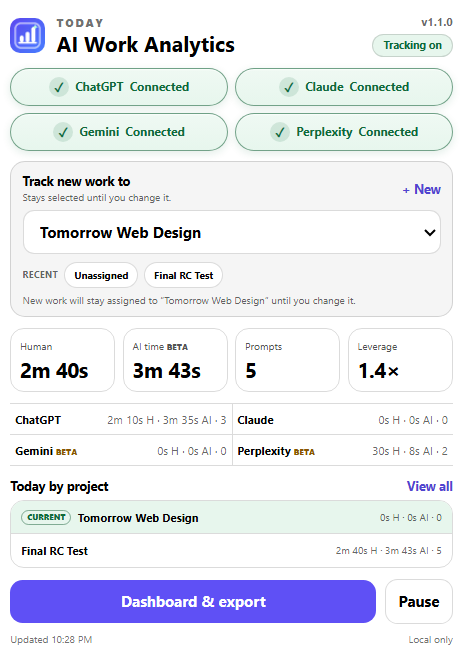
Track your work
Human active time, prompt counts, and detected AI working time across ChatGPT, Claude, Gemini, and Perplexity.
See the bigger picture
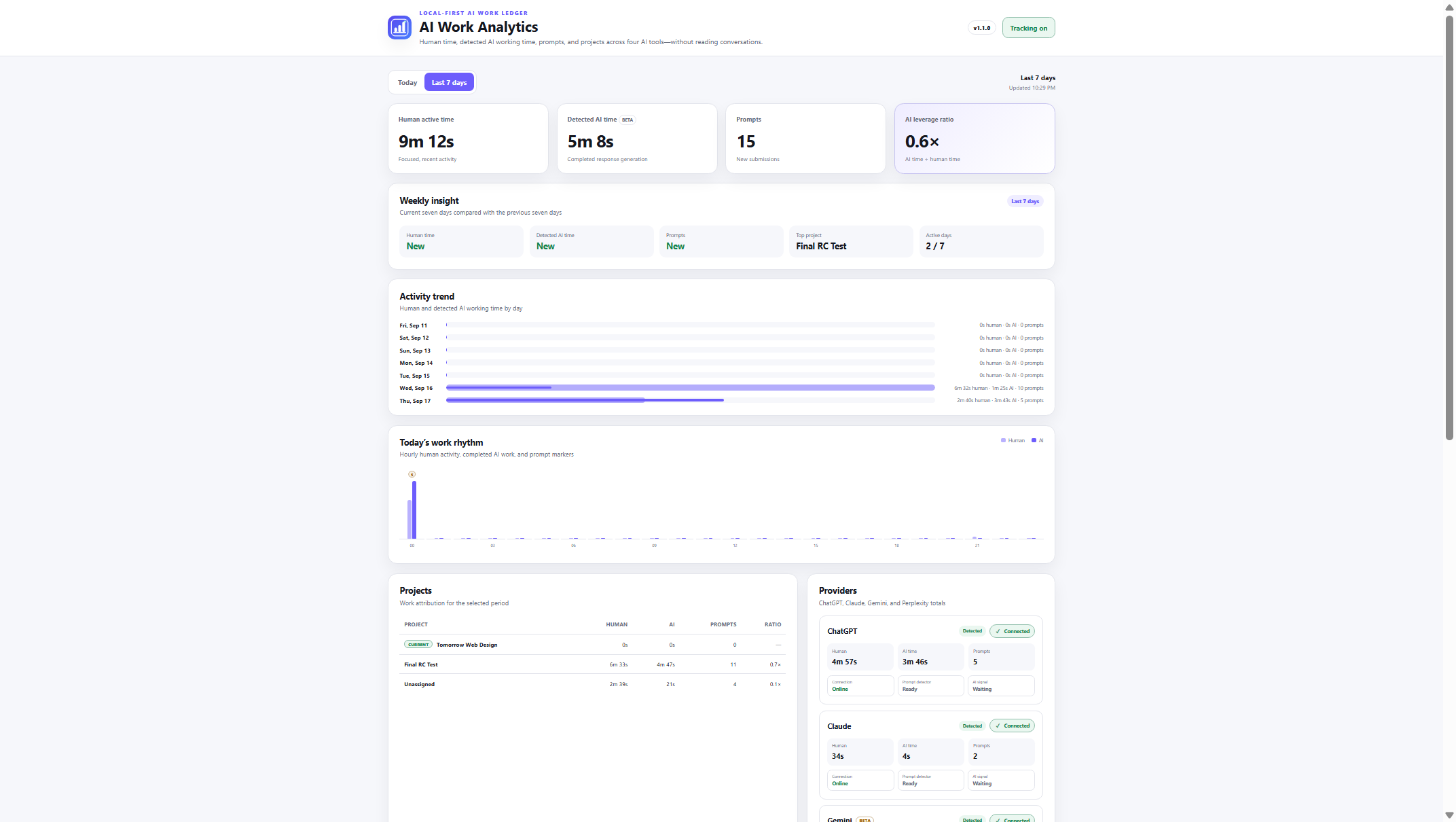
Today and Last 7 Days views, provider totals, project breakdowns, and a time-based AI leverage ratio.
Keep control
Choose a project, pause tracking, export CSV, or save a JSON backup. Your conversation text is never stored.
02 / Understand the week
From today’s activity to the bigger picture.
Switch between Today and Last 7 Days. Explore activity trends, provider totals, and project breakdowns to understand how your workflow changes over time.
AI leverage ratio compares detected AI working time with human active time. It is a time-based signal, not a score for the quality of your work.
Scroll inside the preview to explore the full dashboard. The image shows an example dataset.
Useful answers
Why is a provider not tracking?
Check that tracking is on, open a supported provider, and review connection diagnostics in the dashboard. Gemini, Perplexity, and detected AI working time are Beta features.
How do I assign work to a project?
Create or select a project in the popup or dashboard. New activity stays assigned to that project until you change the selection.
Where is my data, and can I remove it?
Tracking metadata is stored locally in your browser. Use the dashboard to export CSV reports, download a JSON backup, or delete local tracking data. No account or cloud sync is required.
Release notes
v1.1.0
A clearer popup with connected-provider states, recent projects, and more visible project assignment. The refreshed Last 7 Days dashboard adds weekly insights, activity trends, work rhythm, project totals, and provider status.
ChatGPT, Claude, Gemini, and Perplexity tracking are visible in one place. Detected AI working time remains in Beta. Storage stays local-only, with no prompt or response text retained.