
Browser rhythm app · By Angeles Tech
Make beats.
Play along.
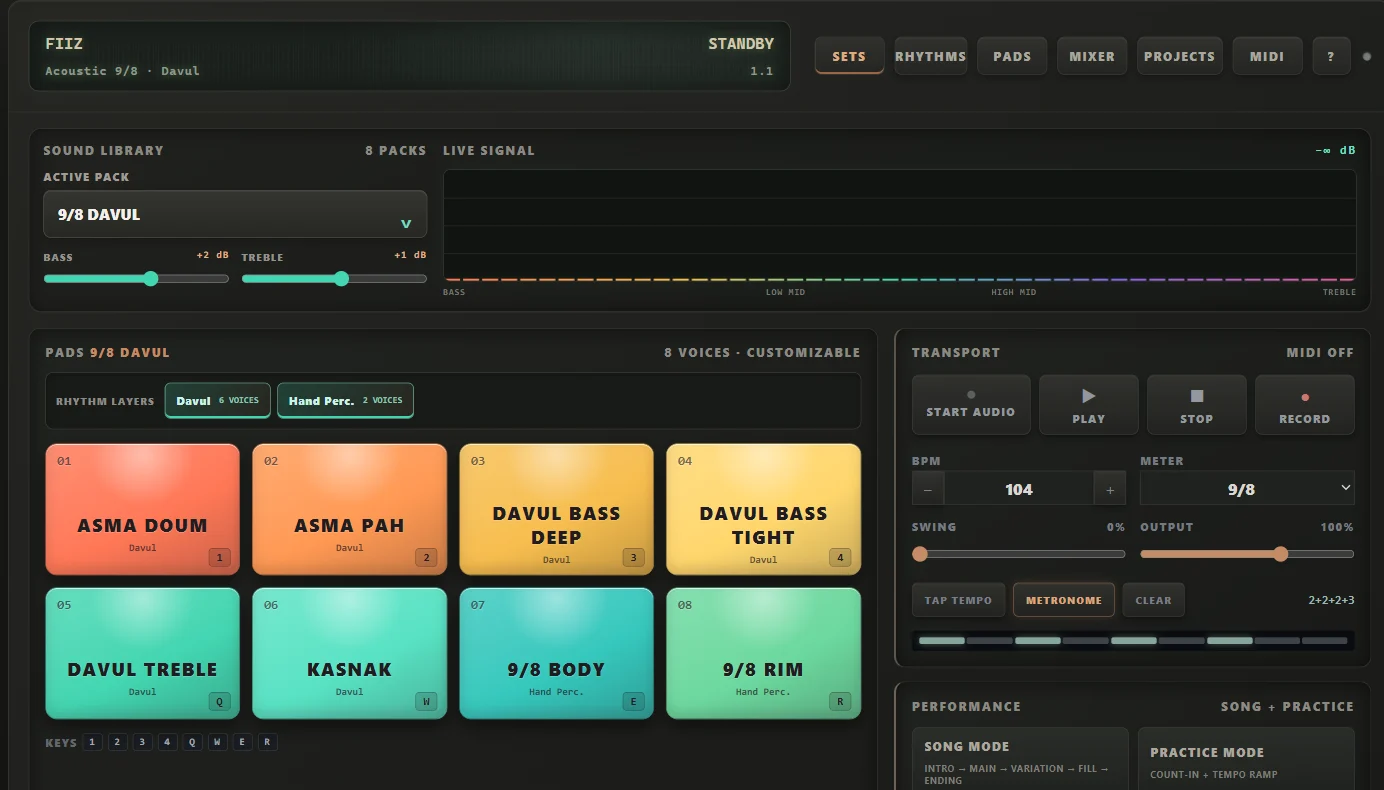
Play drum and percussion sounds, build a beat, or practice with a backing rhythm—all in your browser.
Free to use. No installation needed.
- Computer keyboard
- Touchscreen
- MIDI controller
From a first hit to a full beat
Play. Build. Practice.
Try an idea, repeat a groove, or play along with a ready-made rhythm.
Tap the pads
Play drum and percussion sounds with your keyboard, a touchscreen or a supported MIDI controller.
Build a pattern
Add sounds to the step grid. Shape a beat and arrange an intro, main part, fill and ending.
Practice your timing
Set the tempo, use a count-in and gradually speed up with Practice Mode.
Ready-made backing rhythms
Choose a rhythm.
Make it your own.
Start with a groove in 4/4, 6/8, 7/8 or 9/8. Change the tempo and play over the loop.
Your next beat starts here.
Open Fiiz, choose a sound or a ready-made rhythm, and start playing.
Sound starts after a click or tap in the app. MIDI support depends on your browser and device.